



.svg)
.svg)
A look inside JobMaster
One tool, end-to-end. From the first search of the morning to the tailored resume waiting on your desktop.

Find.
How JobMaster surfaces the right jobs without you watching it. Search, score, schedule, and learn from what's out there.
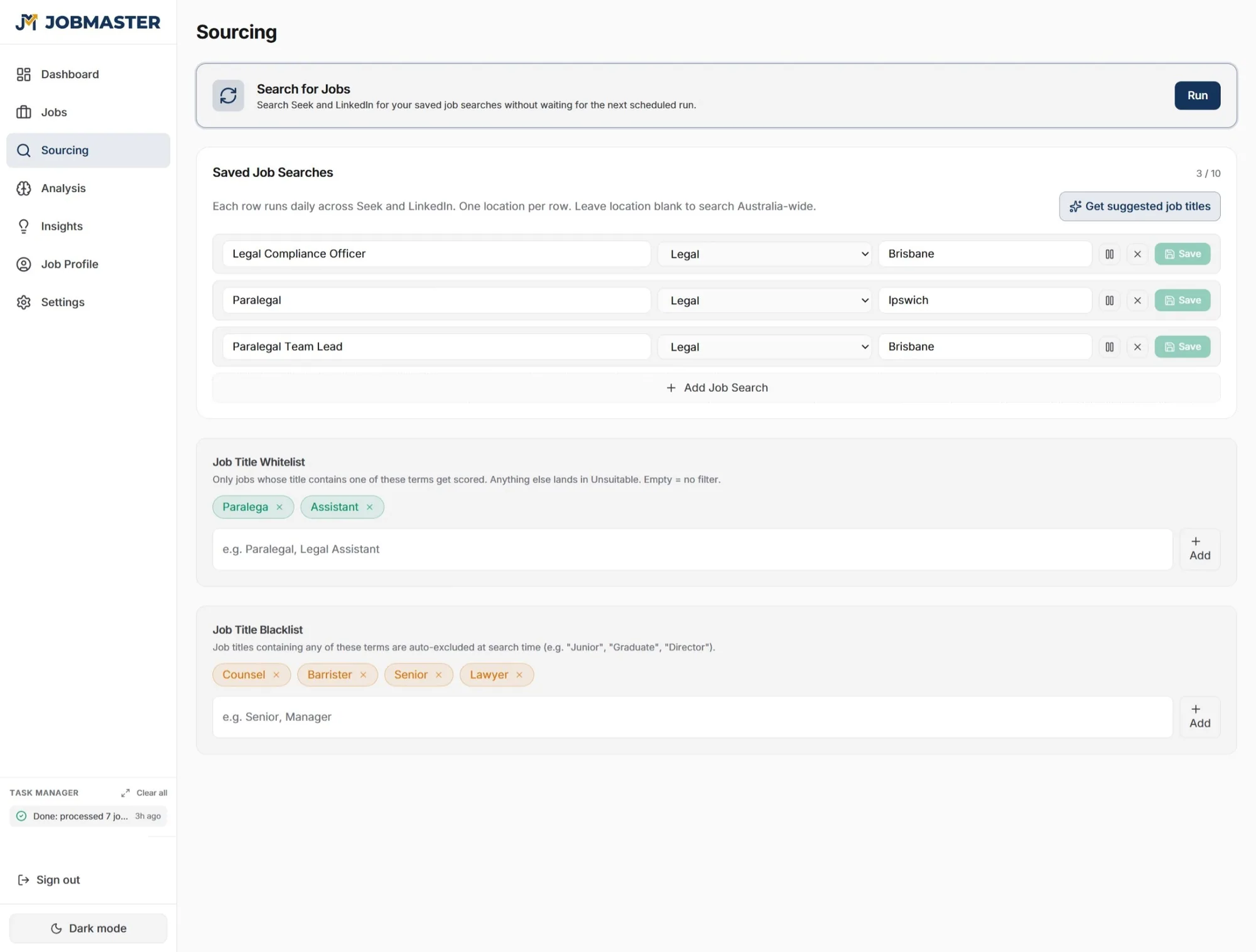
LinkedIn and Seek, every day.
JobMaster searches LinkedIn and Seek for fresh roles matching your profile. Duplicates are de-duped automatically. We surface the strongest matches so you don't have to scroll through hundreds of unsuitable listings.
Set it and forget it. It runs every 4 hours on Cloud Scheduler, plus an on-demand pull whenever you want a fresh sweep. Nothing to configure, and your computer doesn't need to be on.
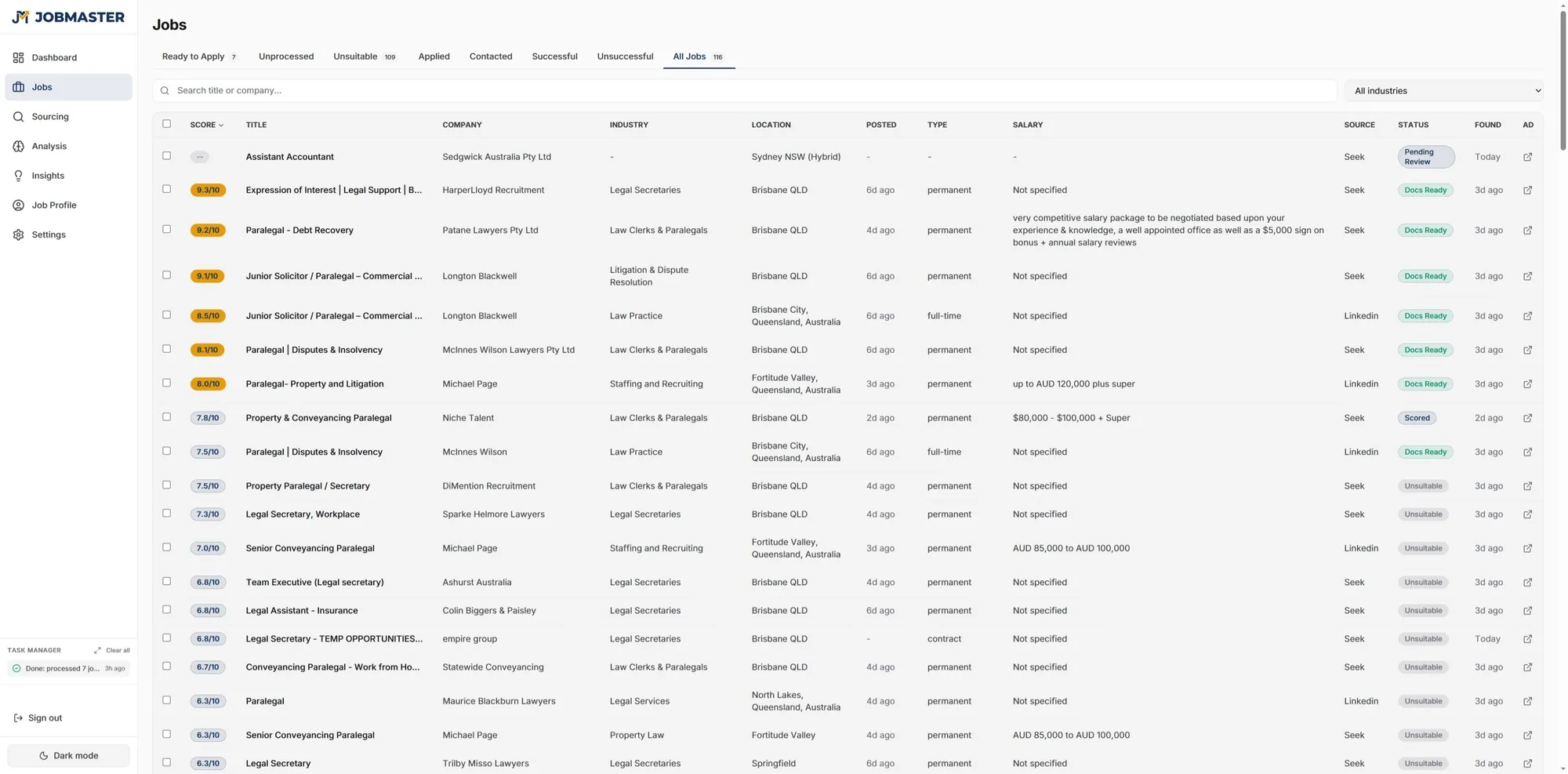
Confidence scores, 1-10
JobMaster reads every job description and compares it to your profile. Each role gets a confidence score from 1 to 10, with a short explanation of the strongest matches and any skill gaps. You spend your attention on the nine-out-of-tens, not the long tail.
- Set a minimum score threshold to filter noise
- Exclude role titles you never want to see again
- See why each job scored what it did
Found one yourself? Paste the link.
Drop any Seek or LinkedIn job link into Add a job by URL on your Sourcing page. JobMaster fetches the listing, scores it against your profile, and writes a tailored resume and cover letter if it clears your threshold. Same treatment as anything the daily search turns up, without waiting for the next sweep.
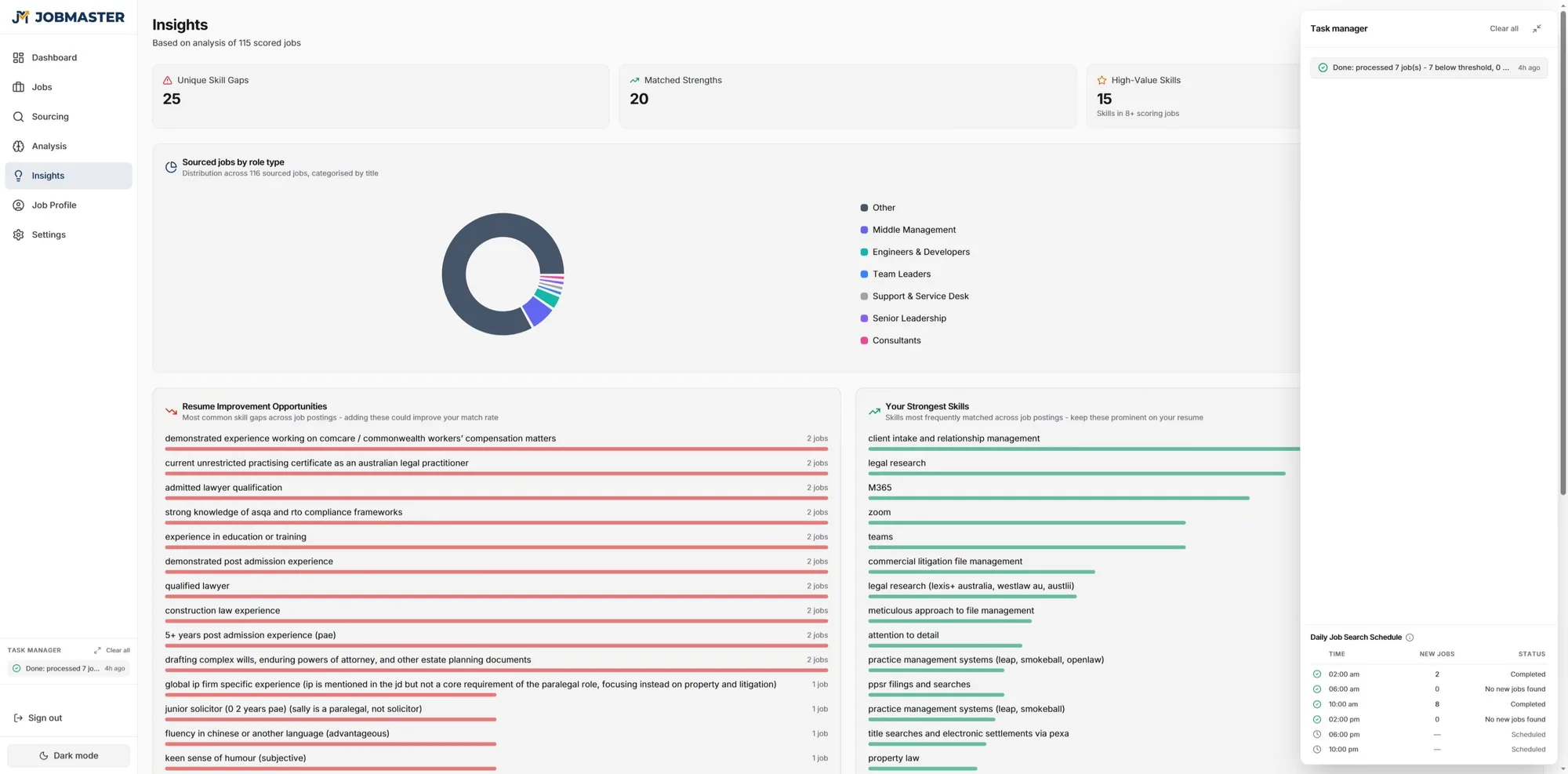
See which skills the market wants
As JobMaster processes each batch of listings, it surfaces the skills and keywords showing up most often. Use that to prioritise what to learn next - or to surface experience you have but forgot to mention. JobMaster even suggests additions to your resume based on what you’ve done but aren’t highlighting.
Save jobs as you browse
A free browser extension that snaps any Seek or LinkedIn job into your JobMaster account in one click, ready for scoring against your profile.
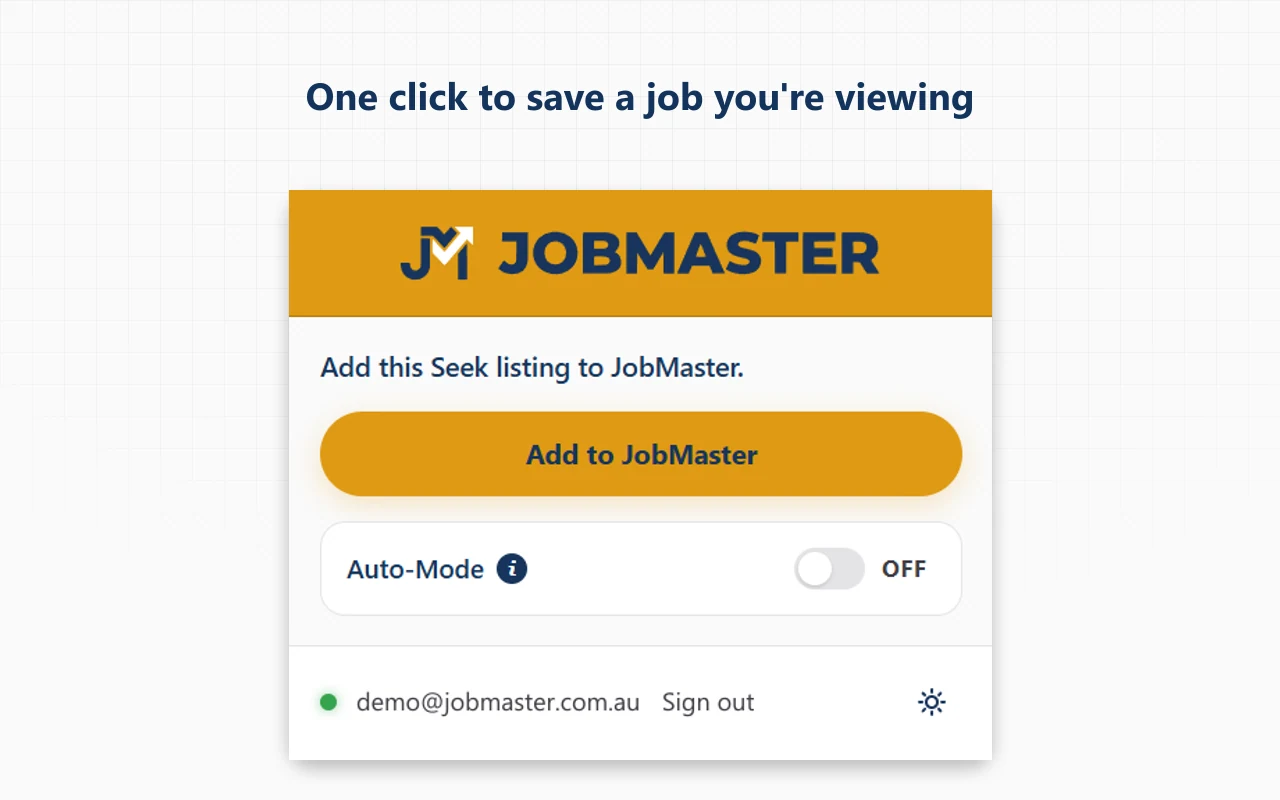
JobMaster Assistant for Seek and LinkedIn
Open any job on Seek or LinkedIn, click the JobMaster icon, hit Add to JobMaster. The role lands in your Jobs list with title, company, location, salary, and the full description, ready for review on your dashboard.
- One-click save from any Seek or LinkedIn job page
- Auto-Mode silently captures every listing you visit
- Stay signed in across browser restarts with no re-prompting
Free with your JobMaster subscription. Manifest V3, narrow permissions, no analytics.
Your pipeline, in your pocket
JobMaster Mobile is a free companion app for subscribers. Now on Android, with iOS coming soon. Review your matches, download your tailored documents, and get a push the moment a strong match lands.
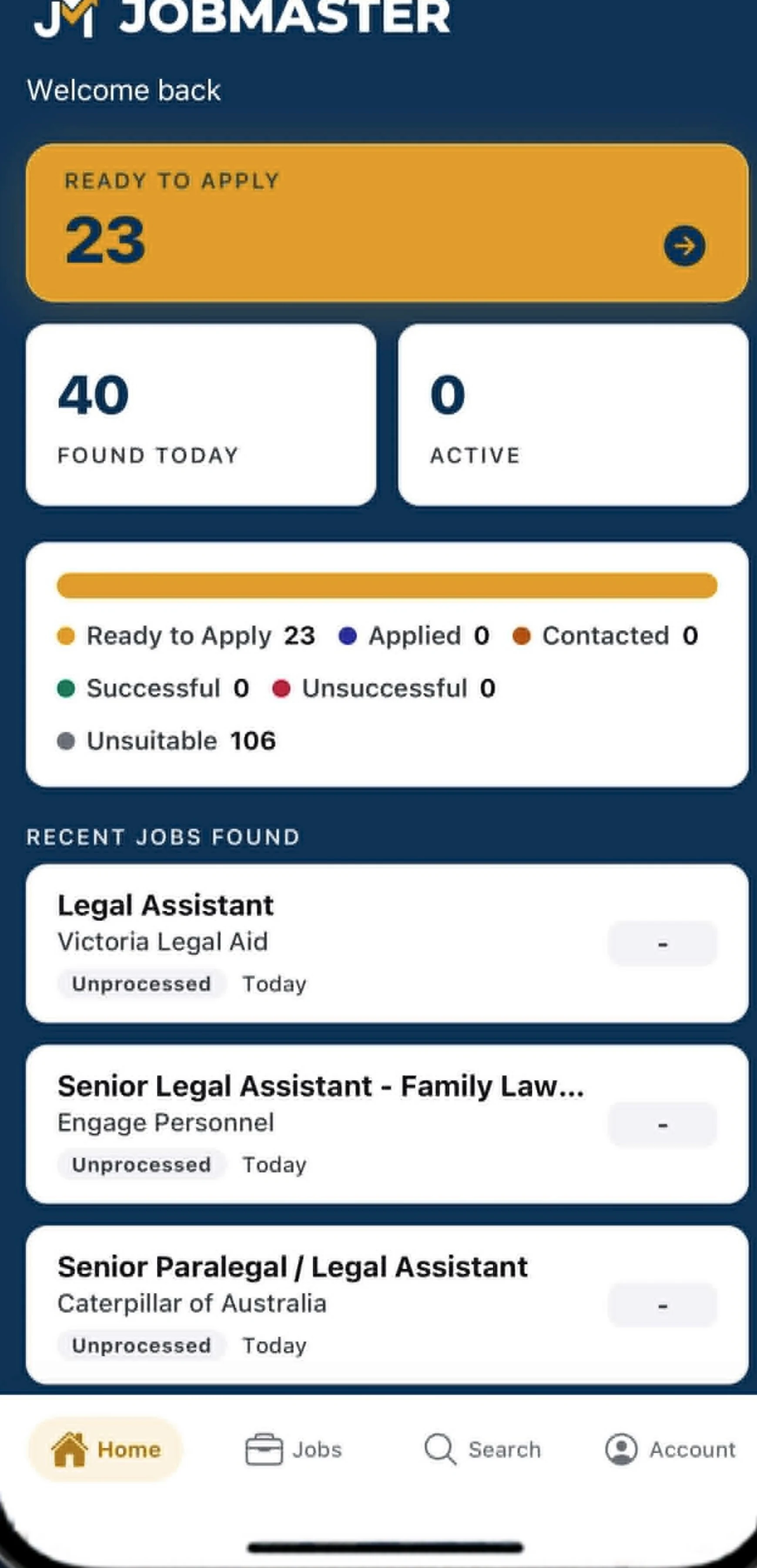
JobMaster Mobile, now on Android
A read-only companion to the web app. See your pipeline at a glance, review the matches JobMaster found and why they scored well, and download your tailored resume and cover letter straight to your phone. Push notifications tell you when a strong match arrives.
- Review matches with their confidence scores wherever you are
- Download tailored documents to your phone in a tap
- Push notifications when a strong match lands in your pipeline
Read-only by design. To upload a resume, edit your profile, or submit an application, use the web app at app.jobmaster.com.au. Free with your JobMaster subscription.
 iOS coming soon
Tailor.
A polished resume and cover letter for the roles you want, written to parse and to sound like you, then a single dashboard where each role moves through the stages you actually use.
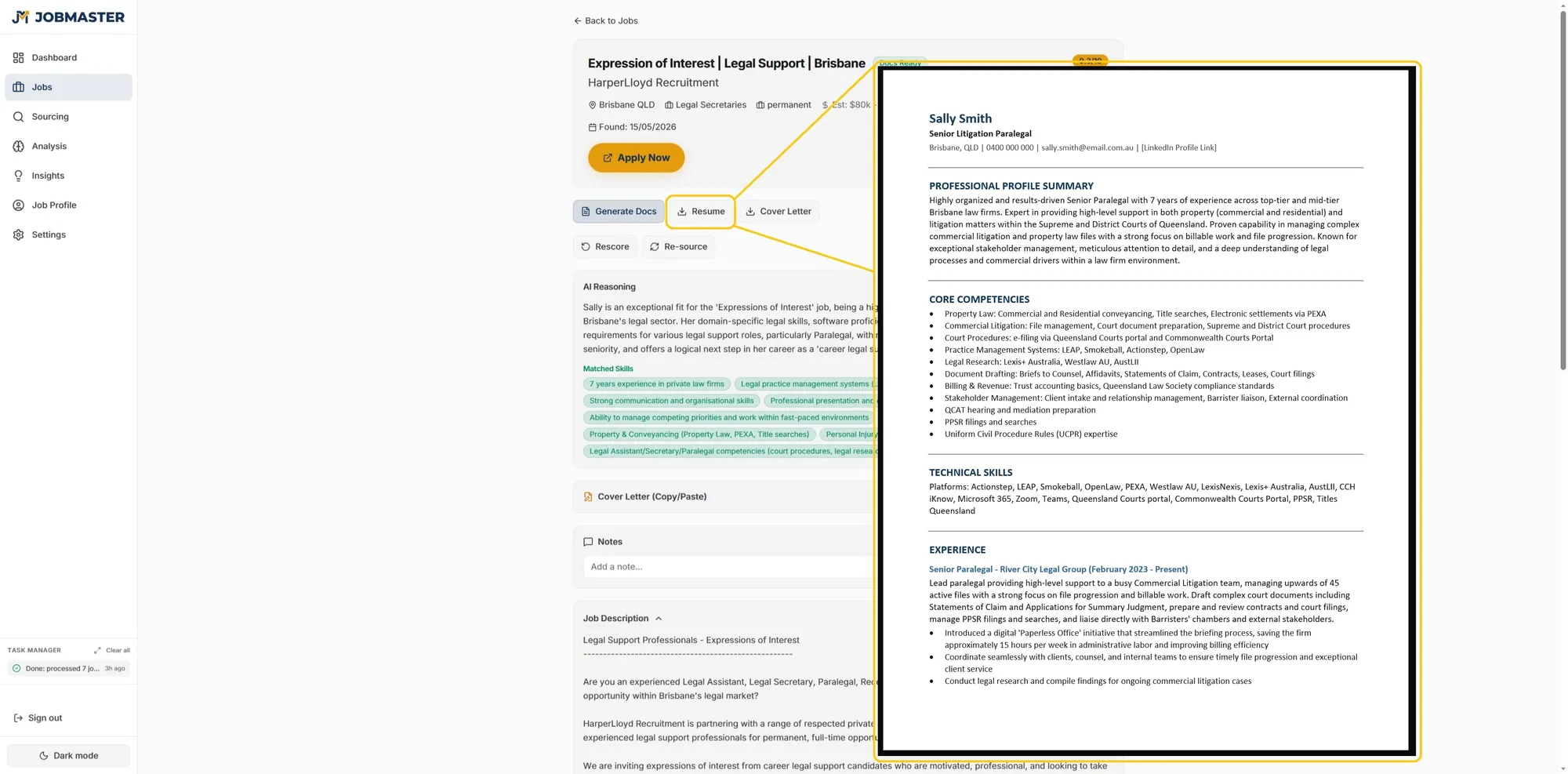
Resume & cover letter, tuned per role
JobMaster writes you a fresh resume and cover letter in Microsoft Word format, tuned to the role you just found. Your strongest matches arrive with both already written. For anything else, one click on the job does it, and the resume and the cover letter are separate buttons so you can skip the letter where a listing will not take one. The output is a draft, not a submission. You read it, edit if needed, and click Apply.
Your pipeline, all in one place
Every job JobMaster surfaces lands in your pipeline. New matches wait in Matches, then move to Applied and on through Contacted, Successful or Unsuccessful as you hear back. Anything you are not pursuing goes to Archived. A live count at the top tells you exactly where you stand this week.
- Filter by source, stage, match score, or date
- Open the tailored resume and cover letter with one click
- Mark a role as Applied the moment you hit submit
Built to survive the scanners
Most applications are read by software before a person sees them, and applicant tracking systems choke on multi-column layouts, text boxes, tables and photos. The JobMaster resume format is a plain single-column .docx with real Word headings and ordinary bullets, and it matches the wording to the ad. It parses.
Prefer your own layout? “My own formatting” keeps it exactly as you built it, columns and photos included, so a heavily designed resume can still confuse a parser.
It should still sound like you
Plenty of candidates paste a job ad into a chatbot and send back whatever it produces. Recruiters have noticed. JobMaster models your tone from a cover letter you wrote yourself, promotes what is relevant, and keeps your sentences where they still work. There are house rules it cannot break: no em dashes, none of the stock phrasing that gives AI writing away, and nothing invented that is not already in your resume.
You choose how formal or conversational you want to read, and you can edit the .docx as much as you like.
See what is missing before you apply
Every match breaks the role down into the skills the ad asks for and marks the ones your resume does not evidence yet. Add the ones you genuinely have, generate again, and the documents go out complete. It also tells you in plain terms why it scored the role the way it did.
Some gaps are worth closing. Some roles are not for you, and it is quicker to know that before you spend the evening on it.
Trust.
The boring infrastructure that lets you hand JobMaster a resume without thinking twice about it.
Your data, isolated.
Your resume, your profile, your search history, all in a per-user namespace on Google Cloud (Sydney region), encrypted at rest. Never mixed with other users. Cancel and we delete everything within 30 days. No telemetry, no third-party data sharing.
your-namespace/
Per-user, isolated
- Resume
- Profile
- Search history
Ready to let JobMaster take the wheel?
$39 AUD a month or $249 AUD a year. Cancel anytime.